
Key facts
- Not every hardware wallet works with an iPhone. Of the 34 models we stock, 28 work with iPhone and 6 do not.
- The Ledger Nano S Plus does not work with iOS at all. That is Ledger's own wording, not ours. It connects by USB-C only, and iOS does not support it.
- Among Trezor devices, only the Safe 7 is fully supported on iPhone. Every other Trezor is view-only on iOS — you can watch your balance but you cannot send.
- iPhone support comes down to how the wallet connects. Bluetooth, NFC and QR code all work. A cable, in practice, does not.
- Android is far less restrictive. 33 of 34 models work with Android, including every Trezor.
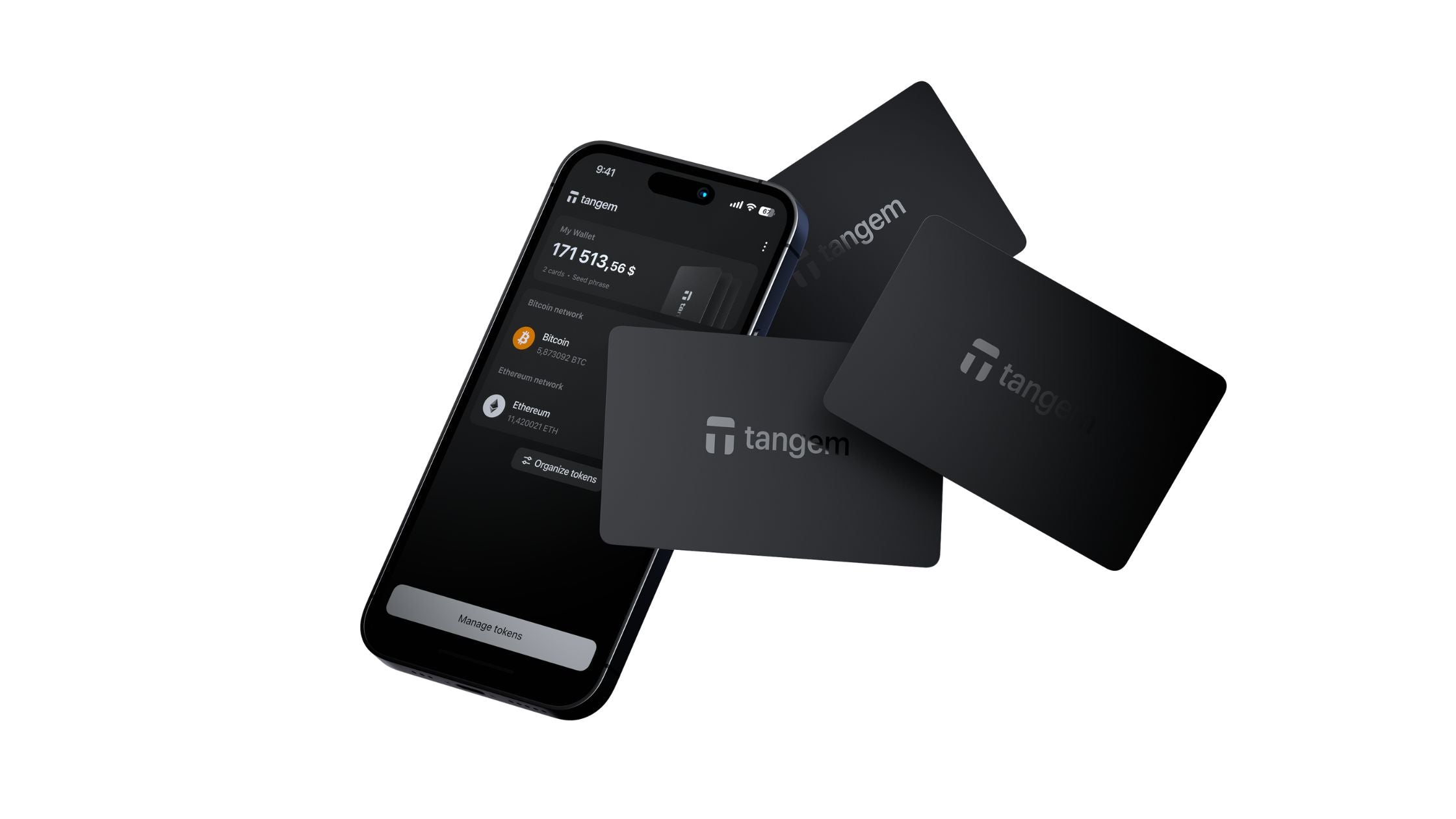
- The smoothest iPhone experience is a Tangem card. No pairing, no battery, no cable — you tap it on the back of the phone and it signs.
- If you already own an iPhone, check the connection type before you buy. It is the single most common reason a hardware wallet gets returned.
Why the iPhone is different
A hardware wallet keeps your private keys on a separate device so that a compromised phone or computer cannot spend your crypto. To approve a transaction, the wallet and the phone have to talk to each other. How they do that is where the iPhone becomes fussy.
Cables are the problem
Plenty of hardware wallets connect over USB. On a computer that is simple, and on Android it usually works too. On an iPhone it generally does not — iOS has never supported the kind of direct USB device connection that wallet software relies on. So a wallet whose only connection is a cable is, for an iPhone owner, a desktop device.
What does work
- Bluetooth — used by Ledger Nano X, Flex, Stax and Gen5, CoolWallet, SecuX, OneKey and Trezor Safe 7.
- NFC — tap the device against the back of the phone. Tangem cards and the Tangem Ring work this way, as does CoolWallet Go.
- QR code — the phone shows a code, the wallet's camera reads it, and the signed result is shown back as another code. Nothing is ever connected. SafePal and Keystone use this.
All three are fine. QR is arguably the most secure of them, because the wallet never establishes any connection at all.

Hardware wallets that work with iPhone
These 28 models work with an iPhone. The connection column tells you how.
| Wallet | Connects by | Also works with Android |
|---|---|---|
| Blockstream Jade | USB-C, Bluetooth, QR code | Yes |
| Blockstream Jade Plus | USB-C, Bluetooth, QR code, SD card | Yes |
| CoolWallet Go | NFC | Yes |
| CoolWallet S | Bluetooth | Yes |
| CoolWallet Pro | Bluetooth | Yes |
| D'CENT Biometric Wallet | USB-C, Bluetooth | Yes |
| Keystone 3 Pro | QR code, USB-C | Yes |
| Ledger Nano X | Bluetooth, USB-C | Yes |
| Ledger Nano Gen5 | Bluetooth, USB-C, NFC | Yes |
| Ledger Flex | Bluetooth, USB-C, NFC | Yes |
| Ledger Stax | Bluetooth, USB-C, NFC | Yes |
| OneKey Classic 1S Pure | USB-C | Yes |
| OneKey Classic 1S Pure BTC-Only | USB-C | Yes |
| OneKey Classic 1S | USB-C, Bluetooth | Yes |
| OneKey Pro | USB-C, Bluetooth, QR code | Yes |
| SafePal X1 | Bluetooth, USB-C | Yes |
| SafePal S1 | QR code | Yes |
| SafePal S1 Pro | QR code | Yes |
| SecuX W20 | Bluetooth, Micro USB | Yes |
| SecuX V20 | Bluetooth, USB-C | Yes |
| SecuX Shield BIO | Bluetooth | Yes |
| SecuX Nifty | Bluetooth | Yes |
| Tangem Wallet 2 Cards Set | NFC | Yes |
| Tangem Wallet 3 Cards Set | NFC | Yes |
| Tangem Wallet Stealth 3 Cards Set | NFC | Yes |
| Tangem Ring + Tangem Wallet 2 Cards Set | NFC | Yes |
| Trezor Safe 7 | USB-C, Bluetooth | Yes |
| imKey Pro | USB-C, Bluetooth | Yes |
Hardware wallets that do not work with iPhone
These 6 are desktop or Android devices. They are not bad wallets — several are excellent — but if an iPhone is your main device, they are the wrong purchase.
| Wallet | Connects by | Works with Android |
|---|---|---|
| Ledger Nano S Plus | USB-C | Yes |
| SecuX W10 | Micro USB | No |
| Trezor One | Micro USB | Yes |
| Trezor Safe 3 | USB-C | Yes |
| Trezor Model T | USB-C, microSD | Yes |
| Trezor Safe 5 | USB-C, microSD | Yes |
Ledger Nano S Plus
The most commonly misunderstood one, and our most common return. The Nano S Plus is an excellent, well-priced wallet with the same CC EAL6+ secure element as Ledger's flagships. It simply has no Bluetooth. Ledger's own documentation states plainly that it does not work with iOS devices.

If you want a Ledger and you use an iPhone, you need the Nano X, Nano Gen5, Flex or Stax — all of which add Bluetooth.
SecuX W10
The W10 has no battery at all. It draws power from whatever it is plugged into, which means it needs a computer. SecuX position it as a desktop device and point mobile users to their battery-equipped models instead.
Two worth a closer look on iPhone
Plenty of wallets work with an iPhone. These two are worth singling out, for different reasons.
Tangem — the least friction of anything we sell
A Tangem wallet is a card, roughly the size of a bank card. To sign a transaction you hold it against the back of your iPhone. That is the entire interaction.
What makes it particularly well suited to iPhone is everything it removes:
- No pairing. Bluetooth wallets have to be paired, and occasionally re-paired. NFC has no pairing step at all.
- No battery. There is nothing to charge and nothing to degrade. A card left in a drawer for five years works exactly as it did on day one.
- No cable, which is the thing that rules other wallets out on iOS in the first place.
- No recovery phrase to write down, by default. The cards themselves are the backup — a set contains two or three cards linked to one wallet, and any of them can restore it. Nothing to lose, nothing to have stolen off a piece of paper.

Tangem
฿2,590 ฿3,990-35%
- Signs by NFC tap — no cable, no battery
- CC EAL6+ certified secure element
- Works with iPhone and Android
Adding: Black. Other colours on the product page.
Security is not the trade-off you might expect: the private key is generated inside a CC EAL6+ certified secure element on the card and never leaves it, which is the same class of chip used by the flagship devices costing four times as much.
If you would rather have a seed phrase, Tangem supports that too — you can create a wallet from a 12 or 24-word phrase, or import an existing one. It is optional, not the default.
Choose between the 2-card set, the 3-card set (a spare card kept somewhere else is genuinely useful), the all-black Stealth set, or the Tangem Ring, which is the same technology worn on your finger and ships with two backup cards.
OneKey — open source, and unusually well specified
OneKey takes the opposite approach: a conventional wallet with a screen and buttons, but with its firmware published openly for anyone to audit. That matters to people who would rather verify than trust.
For iPhone owners the relevant models are:
- OneKey Classic 1S — USB-C and Bluetooth, so it works with an iPhone, an Android phone or a computer.
- OneKey Classic 1S Pure — the battery-free version. Nothing to charge, nothing to wear out. There is also a Bitcoin-only edition for people who hold nothing else.
- OneKey Pro — the flagship: four secure elements, a 3.5-inch colour touchscreen, a fingerprint reader, and the choice of signing over USB-C, Bluetooth or fully air-gapped by QR code.

OneKey
฿3,650
- USB-C and Bluetooth — works with iPhone
- CC EAL6+ certified secure element
- Open source firmware
If Tangem is the wallet for someone who wants the fewest possible steps, OneKey is the one for someone who wants a screen, a button and the source code.
The Trezor exception, explained properly
Trezor is where most advice online is wrong, so it is worth being precise.
On iPhone: only the Trezor Safe 7 is fully supported, over Bluetooth. Every other Trezor — Model One, Model T, Safe 3 and Safe 5 — connects only by USB, which iOS does not support. You can still install Trezor Suite on your iPhone and use view-only mode to watch your balances, but you cannot sign a transaction. To send funds you need a desktop or an Android phone.
On Android: all Trezor models work fully over a USB cable, signing included. The watch-only limitation is an iOS restriction, not an Android one — a distinction a lot of articles get backwards.
What about Android?
Android is much simpler. It supports direct USB connections, so a cable-only wallet still works, and Bluetooth, NFC and QR all work as well.
Of the 34 models we stock, 33 work with Android. The exception is the SecuX W10, for the battery reason above.
In short: if you use Android, compatibility is rarely the deciding factor. Choose on security, screen and budget instead.
How to choose if you are on iPhone
If you want the simplest possible setup
A Tangem card set. There is no battery, no cable and no charging — you tap the card on the back of your phone to sign. By default there is not even a recovery phrase to write down, because the cards themselves are the backup.
If you want a screen and buttons
The Ledger Nano X is the established choice, and the Ledger Flex adds a touchscreen. Both use Bluetooth, and you confirm every transaction on the device itself rather than trusting what your phone displays.
If you want nothing ever connected
An air-gapped wallet such as the SafePal S1 or Keystone 3 Pro. These sign by QR code and never pair, never connect and never touch a cable.
If you are already committed to Trezor
The Safe 7 is the only model that will do everything from an iPhone.
You can put any of these side by side, including the iPhone and Android rows, on our hardware wallet comparison page.
Common questions
Can I use a USB-C hardware wallet with a newer iPhone?
Newer iPhones have a USB-C port, but the port alone is not the issue — iOS does not support the device connection that wallet apps need. Assume a cable-only wallet will not work with an iPhone unless the manufacturer explicitly says otherwise.
Is Bluetooth safe for a hardware wallet?
Yes. The Bluetooth link carries the transaction to be signed, not your private keys. Those never leave the secure chip. You still confirm what you are signing on the wallet's own screen, which is the part that actually protects you.
What is view-only mode?
It lets an app display your balances and transaction history without being able to spend anything, because the wallet is not there to sign. It is genuinely useful for checking your portfolio, but it is not a substitute for compatibility — you still need a desktop or Android device to send.
Does a wallet that works with iPhone also work with a computer?
Almost always, yes. Every model here works with at least one desktop platform as well as a phone.
What if I switch phones later?
Your crypto is not tied to the phone. It is tied to your recovery phrase, or in Tangem's case to the cards. Move to a new device, restore, and carry on. This is also why that recovery phrase deserves better protection than the paper card in the box — paper burns, floods and, in Thailand, gets eaten by termites. A steel backup plate removes all three risks.
Buying in Thailand
SIAMBC has been Thailand's hardware wallet specialist since 2016, with a physical store in Bangkok. Every device is new, sealed and sourced through official distribution, and support is available in Thai and English.
That last part matters more than it sounds. A hardware wallet bought from an unknown marketplace seller can arrive pre-configured by someone else, with a recovery phrase they already know. It is the one purchase where the seller genuinely matters.
Not sure which model suits you? Compare every wallet side by side, or ask us — we will tell you honestly which one fits your phone and your budget.
One rule worth repeating: anyone who asks for your recovery phrase is a scammer. No exceptions. Neither SIAMBC nor any manufacturer will ever ask for it.
Share: